.
Brushed Shading for Maya/MaterialX
Toon Principled (Arnold)
ND_ToonPrincipled_surfaceshader
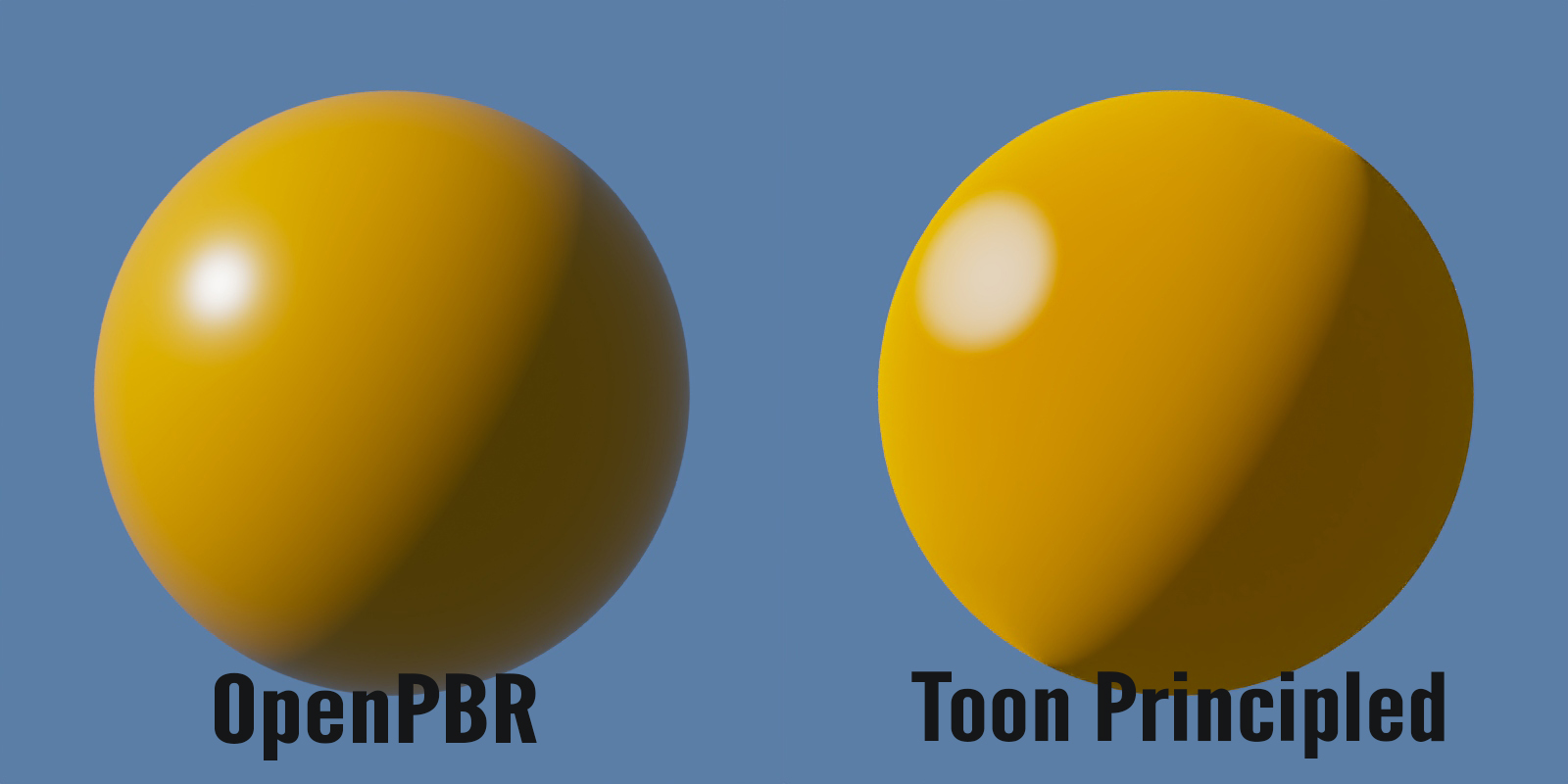
Based on OpenPBR, but designed for NPR rendering. Includes diffuse flattening, specular tone mapping, stylized edges and metalness. Works with Arnold’s builtin AOVs and LPEs, as well as light groups.
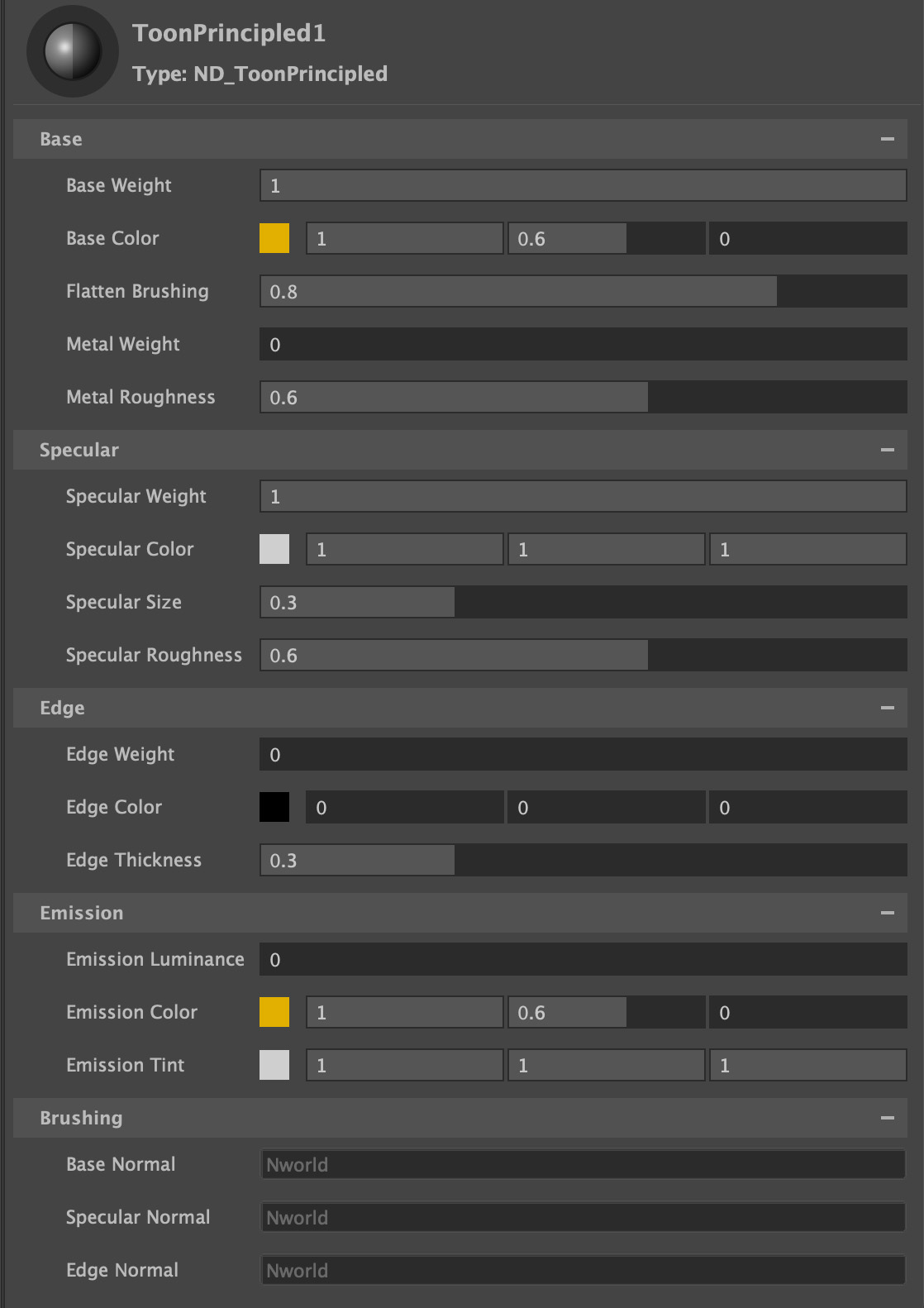
Base
Base Weight
Scalar multiplier for Base Color
Base Color
Overall color of the material used for diffuse and metal.
Flatten Brushing
Blending between smooth shading normals and brushed normals. A value of 0 is complete brushed normals across the diffuse surface, increased values will move the transition from smooth shading to brushed shading along the light direction, with a value of 1 creating smooth shading right up to the light terminator where it will switch into brushed shading.
Node that the diffuse shading is in energy preserving Oren-Nayer (EON) to produce a flattened toon look.
Metal Weight
A mix between dielectric shading and toon metallic. Uses two specular lobes, one tinted with the base color, to get a stylized metallic look.
Metal Roughness
Roughness of the metal specular lobe.
Specular
Toon Spec
Toggle between toon specular (Toon Glossy BSDF), and microfacet GGX specular.
Specular Weight
Scalar multiplier for Specular Color.
Specular Color
Color tint for specular highlight.
Specular Size
Tonemaps the specular highlight to create a sharp circular specular highlight
Specular Roughness
Specifies the roughness of the surface for specular reflection. Generally you want to keep this high (dafault 0.6), using Specular Size.
Edge
The edge uses tonemapped facing ratio, to create a stylized edging that can be used for metals, cloth.
Edge Weight
Scalar multiplier for Edge Color.
Edge Color
The color of the stylized edge. Note that black can be used for darkening as well as lightening.
Edge Thickness
Controlls the thickness of the edge.
Emission
Emission Luminace
Controls the amount of emitted light, specified as a luminance in nits (candela per square meter).
Emission Color
The emission color is multiplied by the white light of the given emission luminance to obtain the final RGB emission.
Emission Tint
Multiplier for tinting the emission color. Useful for stylized (flat) skin looks by tinting with red for the sub-dermal layer.
Brushing
Base Normal
Input for brushed Normals affecting the base.
Specular Normal
Input for brushed Normals affecting the specular.
Edge Normal
Input for brushed Normals affecting the edge.